
Since the onset of the COVID-19 pandemic, the uncomfortable truth is that virtual learning has become a lasting reality for the foreseeable future. In the “new normal” of remote education, one of the top challenges facing K-12 educators is how to increase student engagement in online learning.
Why Student Engagement Is Important
Research validates that a bit of student engagement goes a long way. Many studies show that increased levels of student engagement correspond with more outstanding achievement and successful classroom management.
On the other hand, if children aren’t motivated, their academic performance and learning outcomes can inevitably suffer. A recent survey of high school students indicated that over half (54%) reported feeling less engaged during virtual learning than in in-person classes.
Furthermore, according to a survey from the EdTech Evidence Exchange and the University of Virginia, only 27% of teachers surveyed reported receiving professional development for technology-based online instruction in the spring of 2020. Many educators have been asking a difficult question: “How do we engage students when we don’t see them as frequently [and] only see them remotely?”
We understand that engaging students in the virtual classroom can be challenging, especially for teachers and educational therapists who didn’t receive training in remote instruction before the pandemic started. Still, it is entirely possible to achieve this with the right student engagement strategies.
Five Effective Student Engagement Strategies
As professionals in pediatric therapy services, we have compiled five practical ways to help educators engage students in virtual learning. So, without further ado, here they are–now is the moment to prepare your students to shine!
1. Keep It Short and Sweet
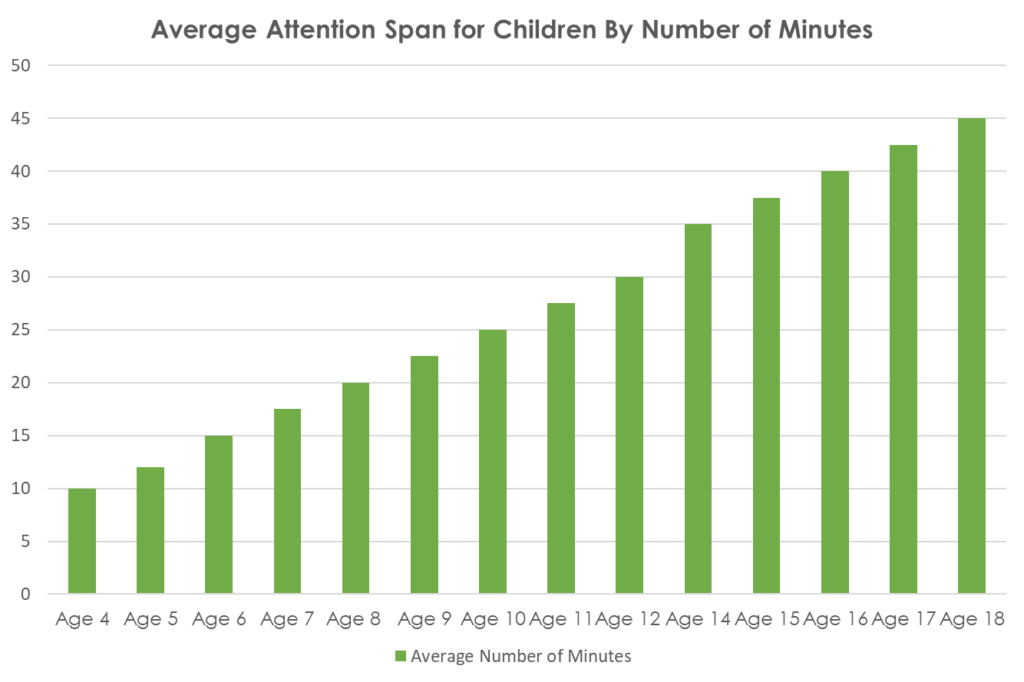
Students might find it hard to understand complicated responses, so keep responses as brief as possible. Do not use more words than necessary; otherwise, the student’s mind might wander, and they may not fully absorb what you are saying.
Experts indicate that the realistic attention span to expect of a student is approximately two or three minutes for each year of their age. So, elementary school students comparatively have a shorter attention span than older classmates.
By age six, children can focus for an average of 15 minutes, and by age eight, they can concentrate for an average of 20 minutes. To ensure that students stay engaged and mentally active, keep learning activities and lessons for fewer minutes, and briefly only say only what you must while giving instructions or offering explanations.
2. Give The Option To Choose

According to education researcher Robert J. Marzano, “choice in the classroom has been linked to increases in student effort, task performance, and subsequent learning.” Because students enjoy having a choice, they become more engaged when given options about the topics they want to learn and activities they want to complete.
Inviting student input by providing choice-making opportunities can also empower students, improving motivation and sustaining attention. Instead of becoming passive observers, students who are in active control of their learning can build self-confidence and autonomy.
Whether they choose to work in small groups or independently, use electronic devices or pencil and paper, and read books or listen to audio recordings, placing students in charge makes their learning more personally meaningful, individualized, and student-centered.
3. Build Individualized Relationships
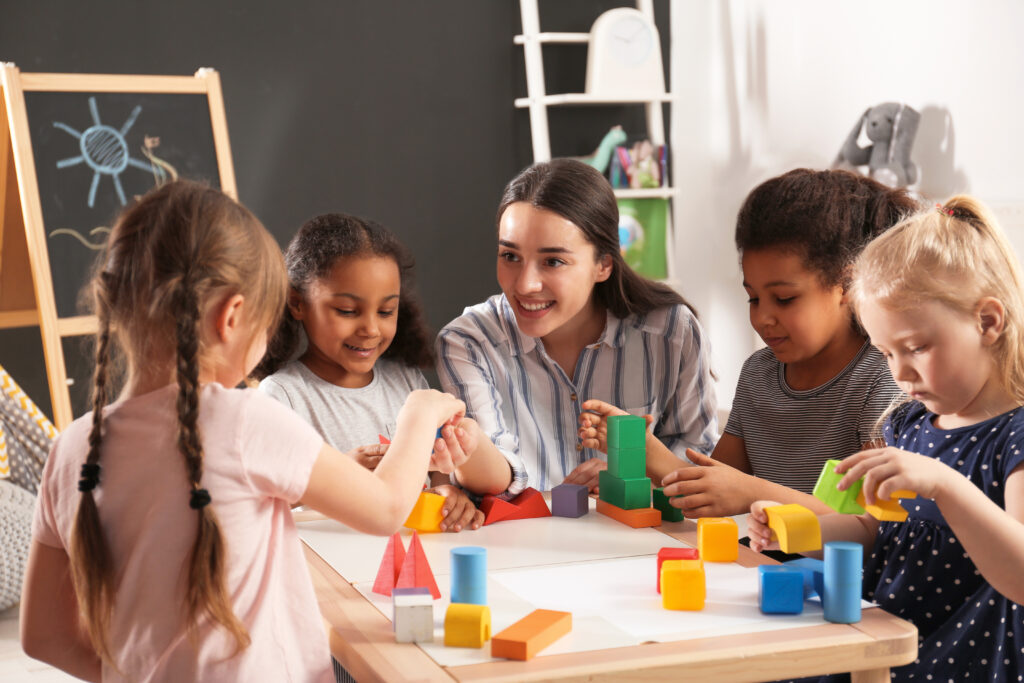
While social distancing may interfere with the ability to connect and maintain relationships with students, educators can create a welcoming environment by ensuring that students are held accountable for attending and participating in classes. In addition, when students can sense that you care about them, it’s more likely that they will engage.
As many educators would agree, building positive relationships with students is the cornerstone of an impactful learning culture. Try getting to know students, finding where they are academically, and learning who they are as people–the more interaction, the better! With this awareness, educators can more effectively engage students in virtual learning.
To forge individualized relationships with students, try utilizing the following strategies:
- Memorize and frequently use their names
- Keep track of their academic performance in previous lessons
- Offer consistent feedback on all assigned classwork
Spend one-on-one time with students, especially those with behavioral issues
4. Utilize The Virtual Platform’s Features
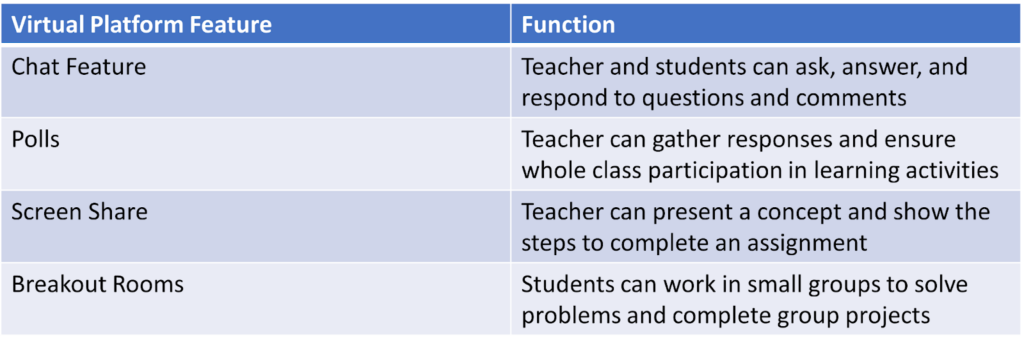
Learning through Zoom, Google Meet, or another video conferencing platform allows educators to interact with students in various ways. Educators can use the virtual platform’s features, including the chat feature, polling, screen sharing, and breakout rooms, to facilitate student learning activities.
Chat Feature
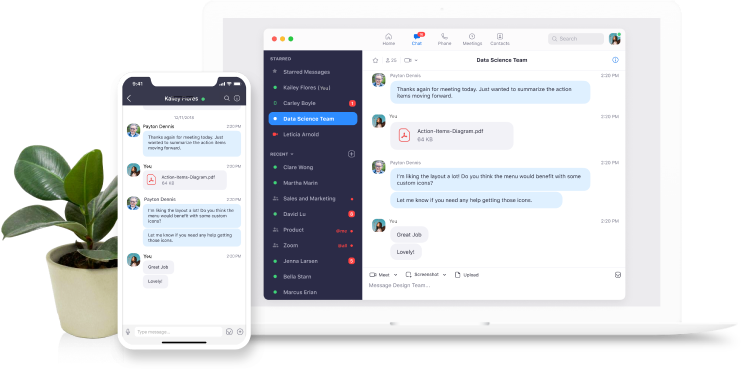
Educators can use the chat feature to check for student understanding, respond to comments, ask questions, clarify confusion, address misconceptions, etc. Additionally, the chat feature allows each student to have a chance to share their ideas and validate others’ responses by posting emoticons like a thumbs up or a smiley face for individual comments.
Polling

Polling is another interactive feature of virtual platforms that enables students to share their opinions. Educators can confirm that each student participates in the lesson by responding to poll questions. Also, this tool helps students to feel like they’re engaging with their peers in the conversation.
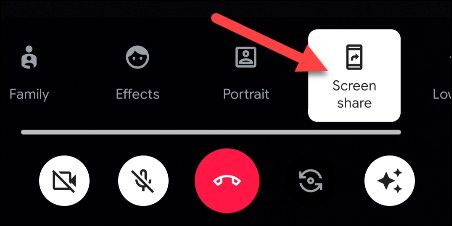
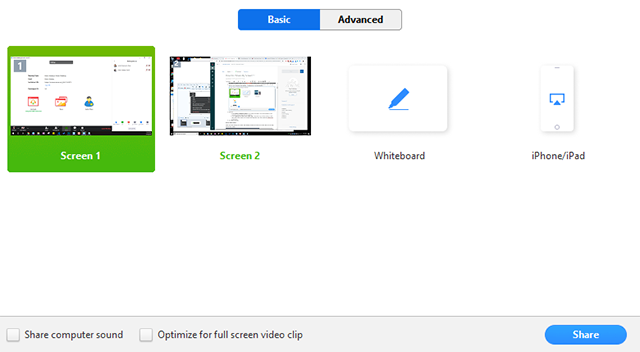
Screen sharing is another way to provide students with information and directions to complete an assignment, project, or task. Screen sharing is also a quick and simple way for educators to demonstrate a concept or clarify a misunderstanding.
Breakout Rooms
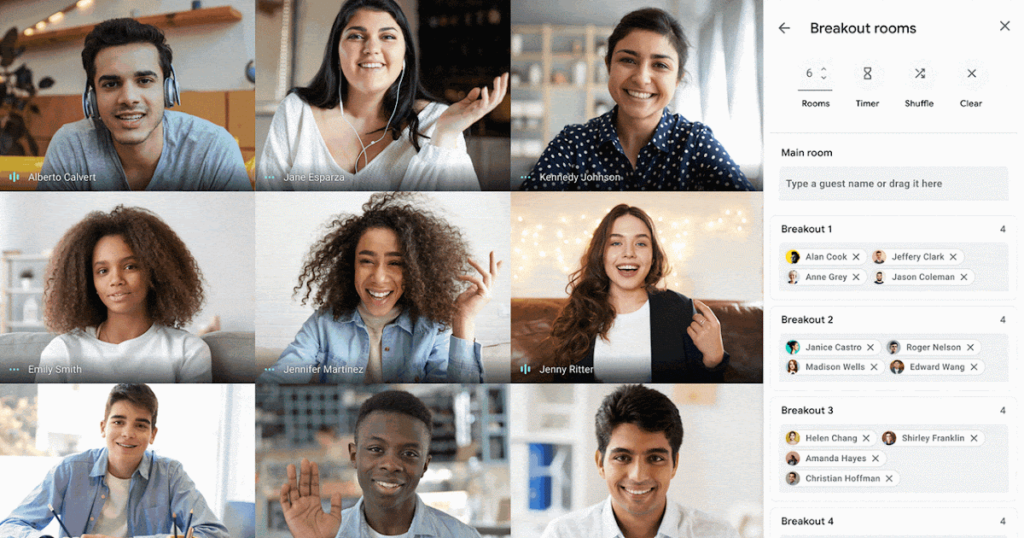
An excellent tool to facilitate learning in small groups, breakout rooms are a fantastic way to solve problems and summarize the ideas learned during the lesson. Educators can distinguish where students struggle and provide more targeted assistance by listening to them in small groups.
5. Align Learning With Student Interests

Each student is involved with their favorite passions, hobbies, and activities. During the first weeks of the school semester, educators should try to discover students’ interests and activities for student engagement, whether video games, books, music, sports, or films.
Encourage students to discuss the subject matter and topics of interest that they’re excited about, increasing their engagement in the classroom. Also, differentiate lessons and classroom activities to include discussions about these subjects, which can be connected to topics in the curriculum.
In conclusion, effectively engaging students is a significant obstacle that challenges many educators during the age of remote learning. Still, with the proper knowledge, it is a goal that is certainly achievable. We hope these five strategies will help educators discover new ways to engage students during the “new normal”–and prepare them for a lifetime of achievement and future success!
Teachers and educational therapists! Which of these student engagement strategies have you used while teaching virtually? Our school-based educational therapists and teachers are always looking for new ideas, so please let us know what has worked in the comments below!
Want to receive learning apps and activities delivered to your inbox monthly? Sign up for our eNewsletter today: txsource.com/newsletter
Searching for a new teaching or educational therapy job? Check out our current job vacancies: jobs.txsource.com